Learning materials
Development Environment for Java
On this page
Environment
-
Eclipse for Java Developers
- Built-in JDK/JRE
- Tips
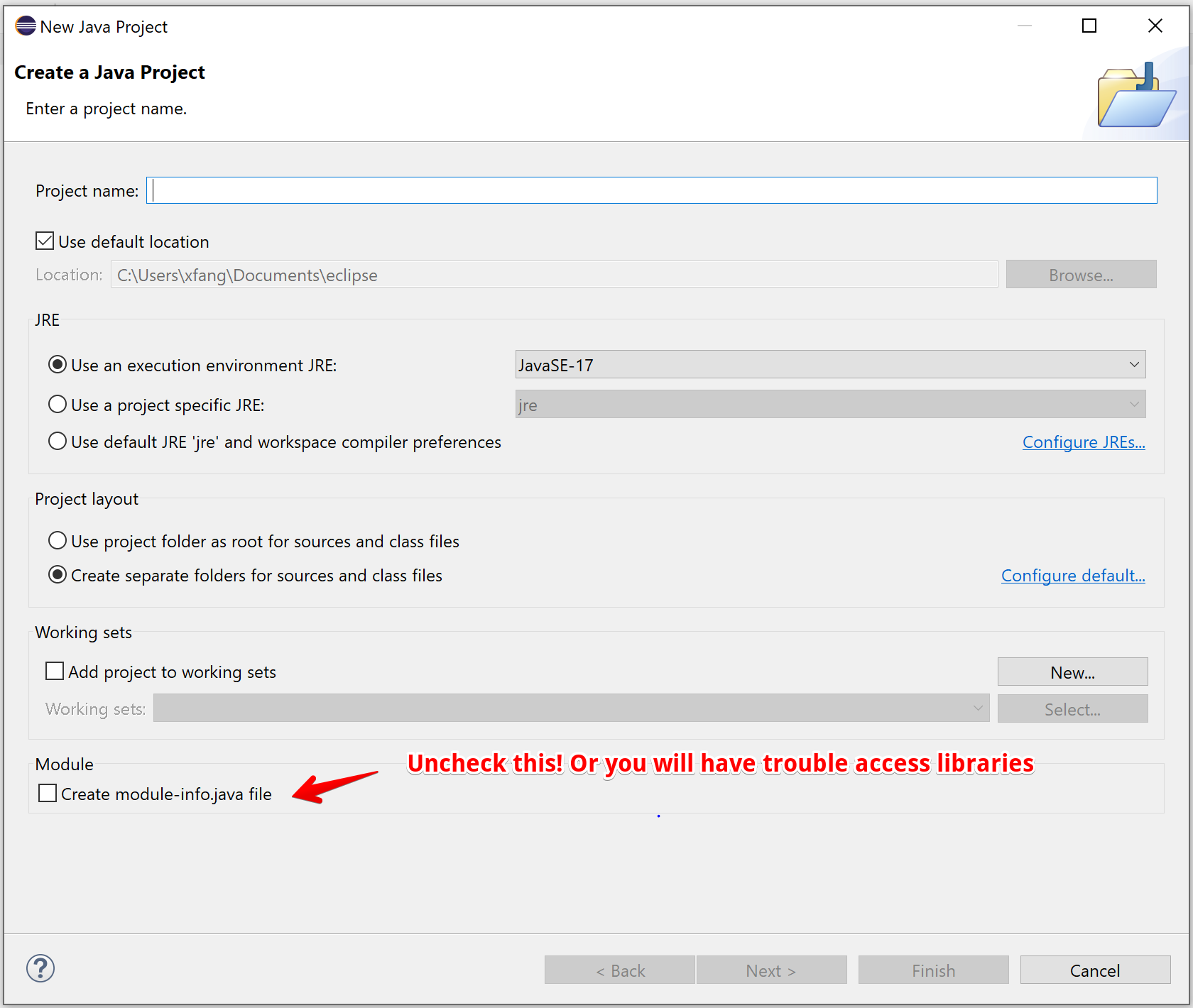
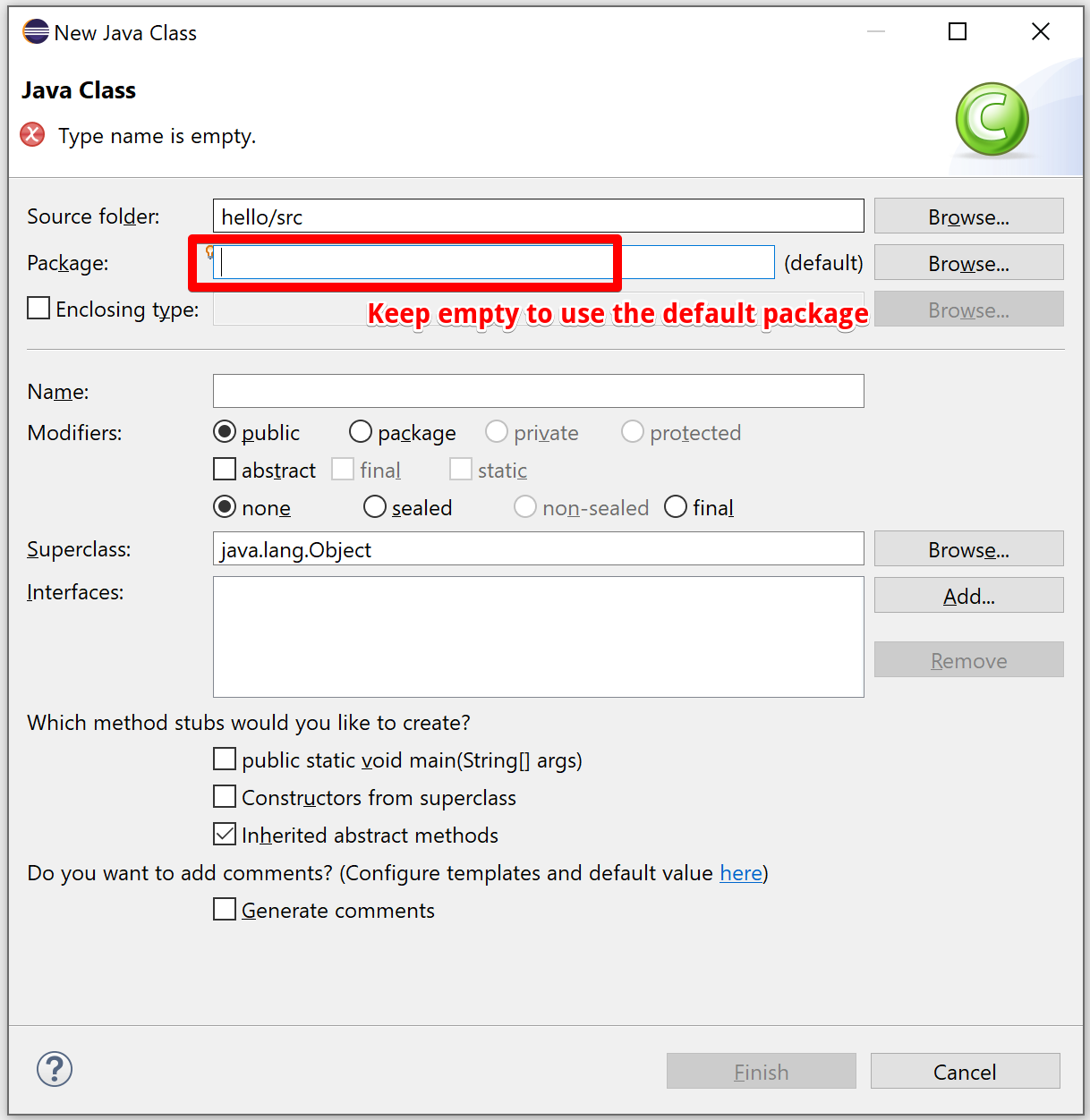
- Eclipse will create a project folder containing many supporting files Never include these files in your submission
-
You can choose other IDEs or editors
- Visual Studio Code
- IntelliJ IDEA
- NetBeans
-
Java version
- Later than Java 8
- OpenJDK or Oracle both fine
Run your code
- Use the run/debug feature in your IDE or editor (software-specific)
- Use command-line (more universal and portable way)
javacommand to runjavaccommand to compile .java file to .class file
Workflows
- You may use multiple approaches for different use cases
- Use an IDE and define project every time
- Use an editor and compile/run from command-line
- Visual Studio Code
- Use jGrasp
- Works well with our code example repository
- Works well when working with many projects all at once
- requires all files in a single folder for each project
- requires all classes in the default package (no package statements)